


Gun Simulator - Lightsaber
4.890.00 Reviews
App Specs
- Version
- 1.2.2
- Updated On
- License
- Free
- Downloads
- 5,000,000+
- Developer
- BetterLife Technology
- Categories
- Simulation
- Platform
- Android
Screenshots


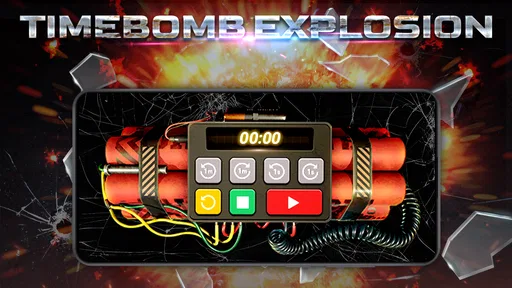
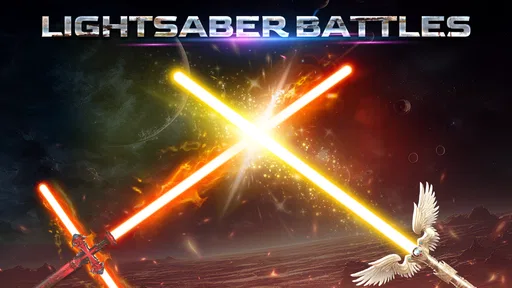
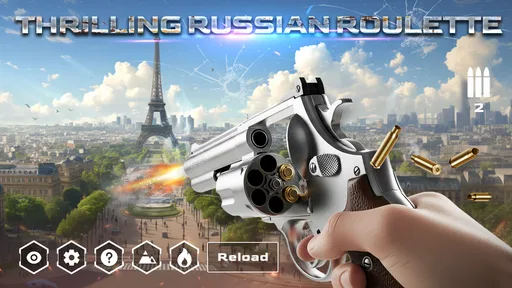
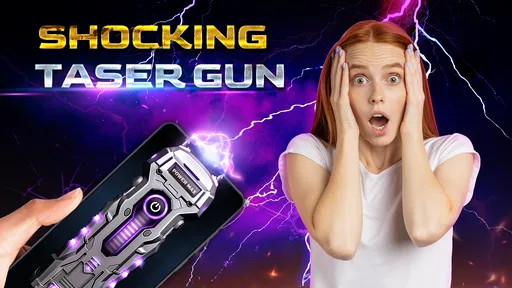
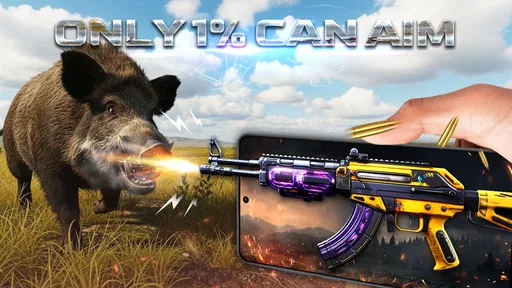
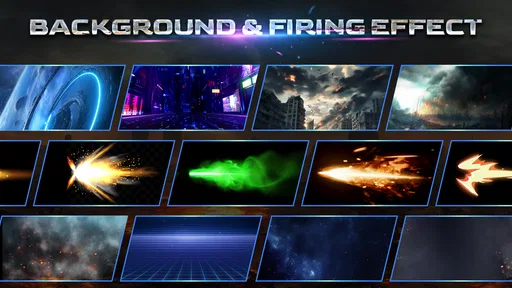
 Analysis by AppCompare
I judge a sound-effects game less by how large its collection looks and more by whether it is enjoyable in the few minutes when someone actually wants to use it. Gun Simulator - Lightsaber is built for that quick, playful moment: pick a weapon, trigger its effect, and share the reaction with someone nearby. It is a simulation game from BetterLife Technology, and its appeal is closer to a pocket prop than to a game with a long campaign or a skill ladder. That distinction matters if you are deciding whether it fits your routine.
How to get a good session out of it
I’d keep a session deliberate rather than tapping through sounds at random: choose a setting where everyone understands the joke, check the phone’s media volume, and let each person take a turn. That small routine makes the effects easier to enjoy without letting them become disruptive. From there, it helps to be clear about what the app can—and cannot—offer as a simulation.
A simple baseline workflow
I’d approach it as a small soundboard rather than as a conventional action game. Open it when you have a clear reason to play with the effects, choose an option, and try it at a sensible volume before showing it to anyone. That short test is useful: a sound that feels amusing through a phone speaker can be startling in a quiet room, and a prank only works if the other person is comfortable with the joke.
The most natural setting is a casual gathering where everyone understands that the sounds are pretend. For example, while waiting for food with friends, you could let someone choose a sound and use it as a quick bit of silly theater, then put the phone away. That works better than repeatedly playing effects in a shared public space, where strangers may mistake them for something real. I would not use it to frighten people or to imitate a real emergency.
Settings and habits worth checking
Before handing over the phone, I’d check the device’s media volume and make sure the screen is ready for the other person to use. Those are ordinary phone controls rather than special tricks, but they prevent the common awkwardness of an effect being inaudible or unexpectedly loud. If the app asks for access that does not seem necessary for the way you intend to use it, pause and consider whether you want to grant it; you do not need to rush through prompts just to try a sound.
A helpful habit is to decide on a stopping point before you start. One or two effects can land as a joke; a long chain of loud repetitions tends to wear out its welcome. I also prefer trying the app in a private, familiar place first, then using it around others only when they are in on the playful premise. That keeps the experience light and avoids confusing a sound effect with a genuine threat.
Faster patterns for casual play
When passing the phone around, I’d keep the session focused: let each person choose, listen once, and hand it along. This makes the app easier to enjoy as a group without turning the phone into a queue of people tapping at random. If you are using it alone, treating each sound as a brief effect rather than expecting an objective or progression gives you a clearer idea of what it is good at: quick amusement, not a long-form challenge.
Worth Reading Before You Choose

EA SPORTS FC Mobile 26 Is a Bigger Football Game, but It Takes Time

Flipboard Shows What News Apps Must Do Beyond the Feed

Switching to Android Auto Means Rethinking Your Driving Routine

Google Calendar Makes a Crowded Week Easier to Manage

Ludo King Makes the Most of the Minutes Between Plans

Baby Panda World Brings Quick Play to Modern Phones, but Its Game Library Feels Busy
It can also work as a low-effort prop for a playful voice message or a pretend scene, provided you make the context obvious to anyone listening. I would not send an isolated gun-like sound without explanation; a recipient who lacks the context may find it alarming rather than funny. The same judgment applies to using the phone around children or in places where loud noises could disrupt people.
Where the simulation has limits
This is not a substitute for a full action game, a music-and-effects editor, or a dedicated soundboard with a carefully organized library. Those alternatives are better when you want structured goals, precise audio mixing, or dependable control over a set of clips. Here, the point is a quick, playful simulation. If you expect realistic firearm handling, tactical mechanics, or a deep customization system, you are looking for a different kind of product.
The theme also calls for common sense. Even though the sounds come from a phone, realistic weapon effects can be misread when heard without context. I would keep the screen visible, explain what is happening, and avoid using the app in situations where someone could reasonably believe there is a real weapon nearby. For anyone who dislikes loud effects or is sensitive to sudden sounds, this is an easy one to skip.
Who is likely to enjoy it
I can see the appeal for people who like sound-effect toys, sci-fi props, or quick jokes shared among friends who already know the tone. It is also a simple option for someone curious about a weapon-themed simulator but not looking for a competitive game. The game is free, carries an Everyone 10+ content rating, and has an average rating of 4.9 from around 21,000 ratings, which suggests broad interest without guaranteeing that every player will enjoy its particular style of humor.
I would steer away from it if you want a calm app, a serious simulation, or a game that gives you reasons to return through missions and unlocks. It may also be a poor fit for a household where sudden weapon sounds would upset someone. In those cases, a non-weapon soundboard or a conventional casual game is a more considerate choice.
What the audience and version tell me
More than five million installs show that this is a widely tried little game, while its 52 written reviews are a much smaller sample than its rating count. I treat those figures as context, not a promise: popularity can tell me that people are curious, but my recommendation still depends on whether you want short sound-based play. It is free to start, so trying it is a low-commitment choice, as long as you are comfortable with the theme.
The game was released on January 22, 2025, and its current version is 1.2.2. It requires Android 5.0 or later. If you are choosing between this and another sound-effect app, I would compare the actual purpose first: this one is aimed at weapon-style simulation and playful use, while a general soundboard may suit you better for harmless everyday effects or organizing audio for a performance.
My verdict before you install
My practical recommendation is to try it when you have a specific, harmless use in mind, not because you expect a deep simulation. Keep the volume under control, let people know the sounds are effects, and stop once the joke has landed. Those small choices make a bigger difference to the experience than trying to turn a short-form sound toy into a full game.
If that kind of brief, shared amusement is what you want, Gun Simulator - Lightsaber has a clear niche. If you want missions, careful sound editing, or realistic training, choose a different app instead. I would describe this one as an occasional novelty: enjoyable in the right company, easy to put down, and best used with a little awareness of how its sounds might come across to other people.
Have you ever wanted to wield a lightsaber or carry a powerful gun, just like in your favorite action movies? Well, that’s where Gun Simulator - Lightsaber steps in, bringing a virtual arsenal right to your fingertips. I’ve spent quite some time fiddling with this app, and let me tell you, it’s a blast!
First Impressions and Setup
Firing up Gun Simulator - Lightsaber for the first time was like stepping into a virtual armory. The app’s interface is slick and intuitive, making it super easy to navigate through the various weapons and features. The setup process is a breeze; just install the app, grant a couple of permissions, and you’re ready to go. Whether you’re on Android or iOS, the app runs smoothly, providing a seamless experience across both platforms.
A Dive into the Arsenal
The app offers an impressive variety of weapons. From futuristic lightsabers to classic firearms, the selection is enough to satisfy any weapon enthusiast. Each weapon comes with its unique sound effects and animations, which are surprisingly realistic. I found myself lost in the details, especially with the lightsabers. They emit a satisfying hum and glow, making you feel like a Jedi right in your living room.
Switching between weapons is straightforward, and the app’s responsiveness ensures that there’s no lag or delay, even on older devices. The sounds are crisp, and the graphics are top-notch, adding to the immersive experience. You can even customize your weapons to a certain degree, which is a nice touch for those who like to personalize their arsenal.
Features That Stand Out
What really caught my attention were the interactive features. The app isn’t just about looks; it’s about engagement too. With the augmented reality (AR) mode, you can project your weapons into the real world using your phone’s camera. This feature is both entertaining and innovative, transforming your surroundings into a battleground or a space opera scene.
Another highlight is the multiplayer mode where you can connect with friends and have virtual duels. It’s a fun way to engage with others, especially during those times when meeting in person isn’t feasible. The app’s developers have done a commendable job in ensuring the multiplayer experience is lag-free and enjoyable.
Room for Improvement
While the app is a lot of fun, there are a few areas that could use a bit of polish. For instance, the AR feature, though impressive, can sometimes be a bit finicky, especially in low-light conditions. I also noticed that the app can be a bit of a battery drainer, so make sure to keep your charger handy during extended sessions.
Moreover, while the app offers a good range of weapons, some users might find the free selection a bit limited, nudging them towards in-app purchases for a more extensive collection. It’s something to keep in mind if you’re on a budget.
Final Thoughts
Overall, Gun Simulator - Lightsaber is a delightful app for anyone who’s ever fantasized about wielding epic weapons from the comfort of their home. It’s not only entertaining but also well-executed, with its realistic sounds and visuals making it stand out in the crowded app market. Whether you’re a sci-fi lover or a gun enthusiast, there’s something here for everyone.
So, if you’re looking to add a bit of adventure to your day, give Gun Simulator - Lightsaber a try. Just remember to watch your battery life and enjoy the ride! And hey, who knows, you might find yourself dueling with friends in the virtual world more often than you’d expect!
Pros
- Realistic sound effects enhance immersion.
- Wide variety of weapons to choose from.
- Smooth animations for a better experience.
- Customizable settings for personal preferences.
- Offline mode available for anytime play.
Cons
- Contains ads that can interrupt gameplay.
- Limited free content
- in-app purchases needed.
- May drain battery quickly during extended play.
- Graphics could be improved for more realism.
- Not suitable for younger audiences.
FAQs for Gun Simulator - Lightsaber
What is Gun Simulator - Lightsaber, and how does it work?
Gun Simulator - Lightsaber is an engaging application that combines the excitement of a gun simulator with the fun of a lightsaber emulation. Users can explore a variety of virtual weapons, including guns and lightsabers, with realistic sound effects and animations. The app provides an interactive experience, allowing users to switch between different modes and customize their virtual arsenal.
Is Gun Simulator - Lightsaber suitable for all ages?
While Gun Simulator - Lightsaber is designed for entertainment, it's important to note that it simulates weapons, which might not be suitable for younger audiences. Parents should review the app's content and use discretion when allowing children to play. The app is typically rated for users aged 12 and up due to its simulated violence.
Does Gun Simulator - Lightsaber require an internet connection to play?
Gun Simulator - Lightsaber can be enjoyed offline, making it convenient for users who want to play without an internet connection. However, some features, such as updates or additional content downloads, may require connectivity. It's advisable to have a connection available for an optimal experience when accessing new features.
What devices are compatible with Gun Simulator - Lightsaber?
The app is available on both Android and iOS platforms. It is designed to run on most modern smartphones and tablets. However, to ensure the best performance, it's recommended to use devices with updated operating systems and sufficient processing power to handle graphics and animations smoothly.
Are there in-app purchases within Gun Simulator - Lightsaber?
Yes, Gun Simulator - Lightsaber includes in-app purchases that allow users to unlock additional weapons, skins, and features. These purchases enhance the gameplay experience but are entirely optional. Users can enjoy the core features of the app without spending money, but the extra content adds variety and customization options.


